The Fees tab in the Payment Processing allows you to set up service fees based on rules you define.
TABLE OF CONTENTS
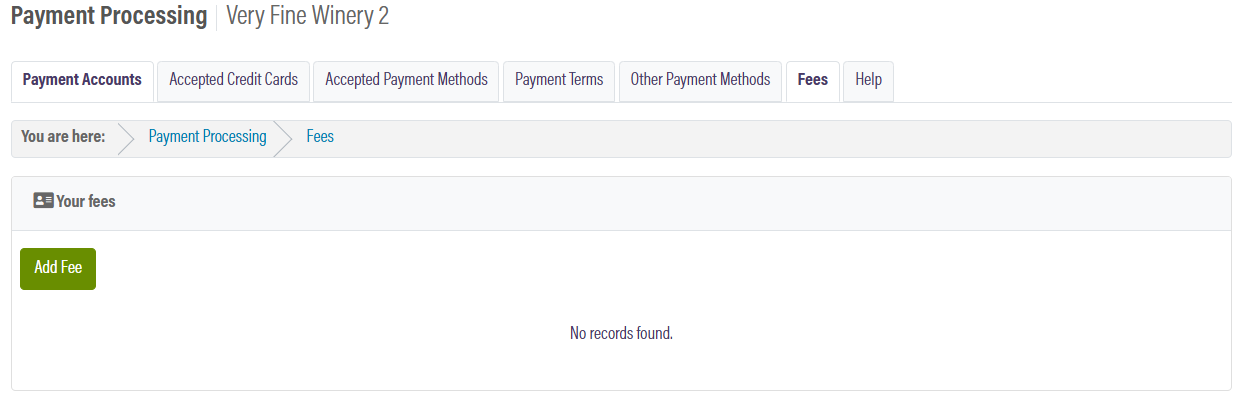
Creating a New Fee
You can add a new fee in OrderPort Admin -> Settings -> Payment Processing -> Fees.
Click the Add Fee button.
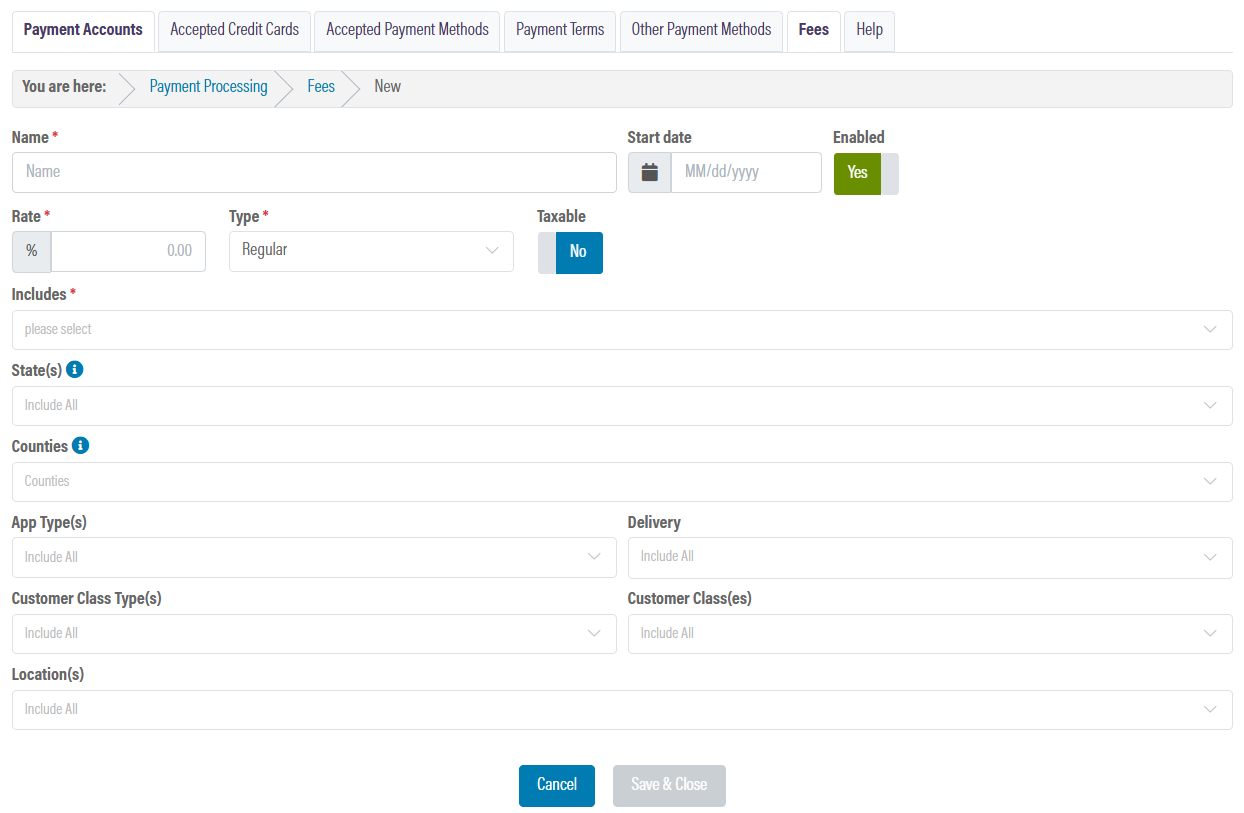
From here, you can configure the fees. Please leave the fee type as Regular.
If you need to set up auto gratuity, please see the Taxed Auto Gratuity document for California. If you need to set up auto gratuity and have no locations in California, please see the POS Tipping and Auto Gratuity lesson on OrderPort University.
Fees appear in orders and reports as if they were regular products. The name you assign to any created fees should clearly indicate the fact that it is a fee, e.g. "Convenience Fee".
In the includes dropdown, there are two similar options: item totals after discount and item totals after discount excluding deposits. If both of these are selected, it will essentially double the fee.
Fees in Orders
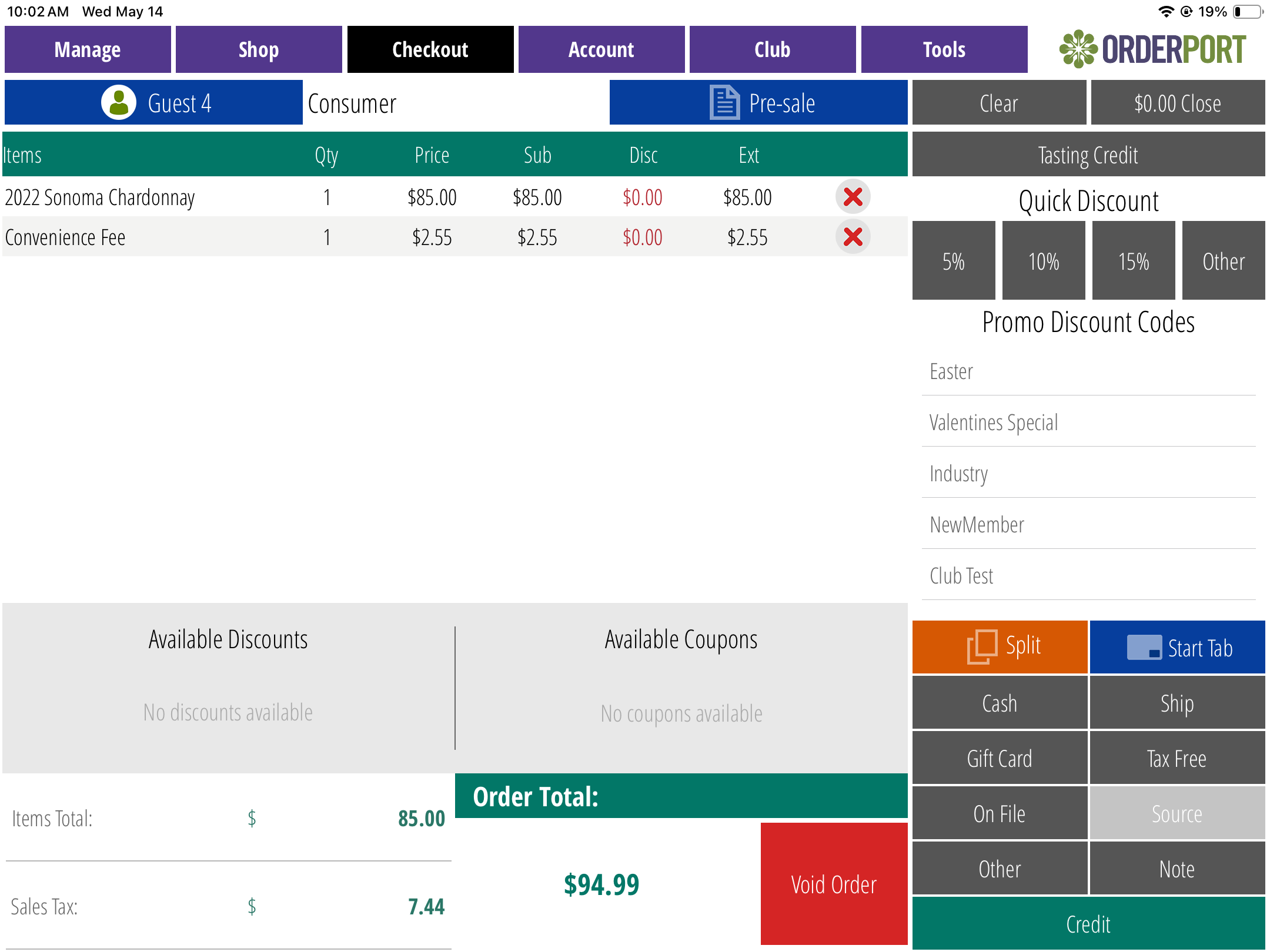
When an order qualifies for a fee, the fee will be automatically added to the order in checkout. Associates can manually delete fees if needed. To recover a deleted fee, the associate must press the Clear button.
Please note: the fee is not included in the Items Total on the bottom left, but it is included in the Order Total.
Credit Card Surcharges
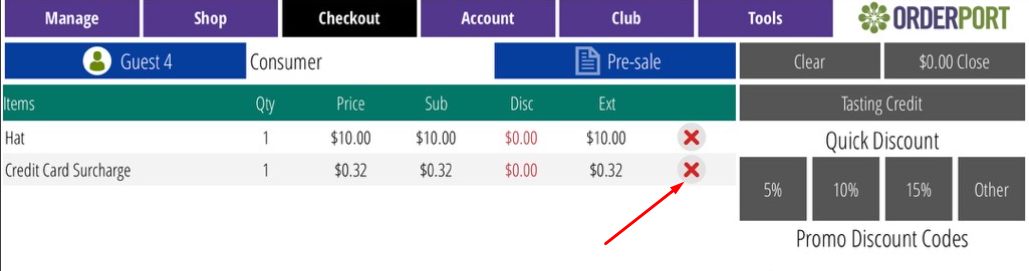
If you decide to use the fees tab to set up a credit card surcharge, there are a few limitations you need to be aware of. In OrderPort, we do not have the ability to apply a fee after a payment type is selected, so you can only use Credit Card fees on the Point of Sale or Restaurant applications. For all non-credit card charges, including debit cards, the winery must manually remove the credit card fee from the transaction at checkout by clicking the (x).
State Limitations on Credit Card Surcharges
Credit card surcharges are legal in most states; however, the following states do not allow them. Please note that for all other types of non-credit card transactions, any form of surcharge is prohibited in all states.
- Connecticut
- Maine
- Massachusetts
- New York
- Puerto Rico
California Restrictions
In January 2026, the AB 2991 assembly bill went into place. Here is the documentation for the California Department of Alcohol Beverage Control. AB 2991 Guidance: Electronic Payments Between Retailers and Wholesalers
We offer an EFT service with the OrderPort Payments powered by Stripe payment processor. Please take a look at this guide on how to enable this feature. If you have a different payment processor or decide not to use EFT for these orders, you can process them like regular credit card transactions.
Recommended Practices
Please review the sections above on adding or removing fees from Orders.