To set up (or update the connection for) the FedEx integration, go to the Shipping module in OrderPort Admin.
In the Shippers tab, it must be enabled in the Carriers section.

Once enabled, click save. It will now appear as a seperate tab in the module.

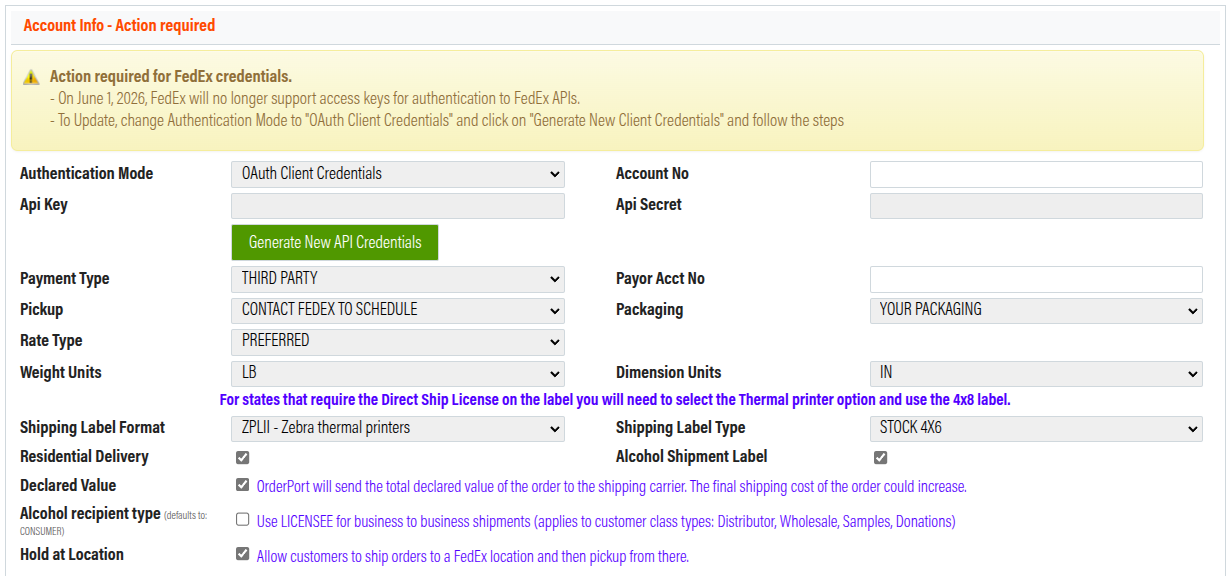
To set up the integration for the first time, set the API Authentication Mode to OAuth Client Credentials.
If you have been using FedEx access keys for the integration previously, you must migrate to the OAuth Client Credentials mode. FedEx will stop supporting access keys in 2026.
Next, input your account number, then click Generate New API Credentials.
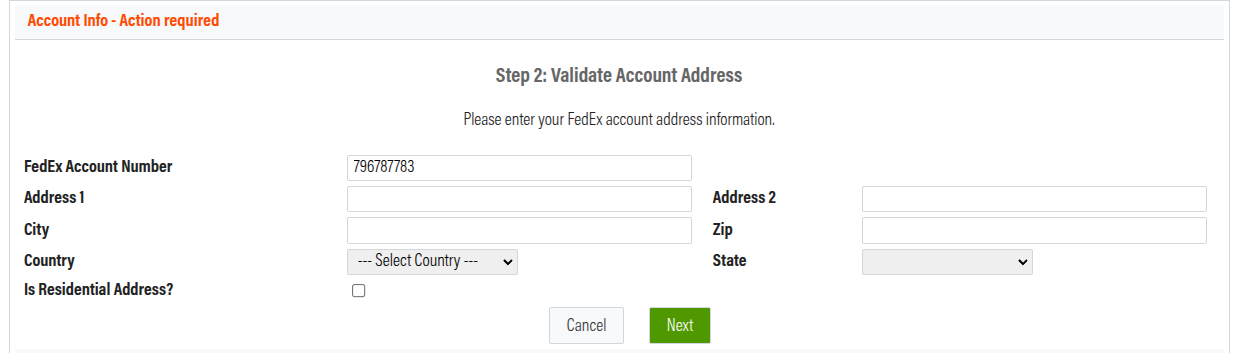
In Step 2, you will be asked for an address. Please enter your FedEx billing address here.
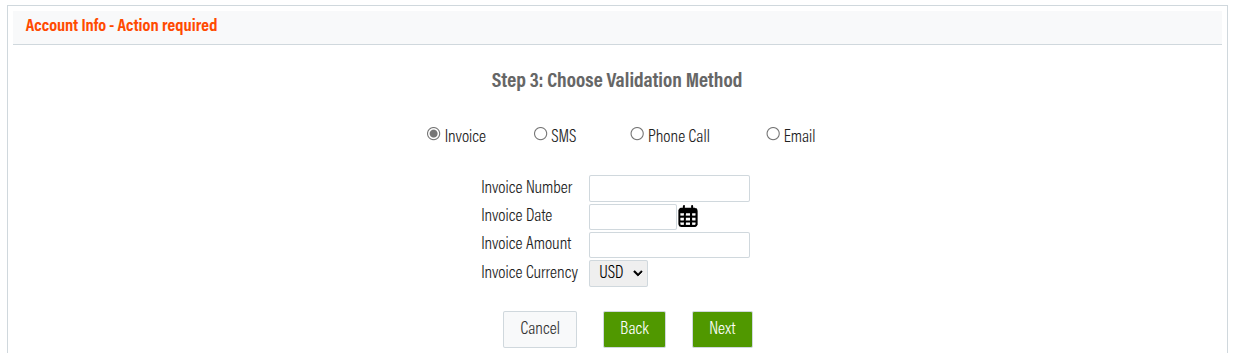
In Step 3, you must verify your account. If you choose to verify using an invoice, it must be no older than six months.
After verifying your account, you have finished connecting the systems.
Once this is done, make sure to save the changes. If you fail to do so, you will need to go through the process again.

If you receive an error message that says “Shipping prices are not available at this time,” it is possible that your FedEx account is not set up to ship alcohol. You will need to contact your FedEx account manager to get the appropriate approval on your account.