Many wineries launch their webstore only once, but the platform continues to evolve. Unfortunately, their stores often do not keep pace with these changes. Small configuration updates can greatly enhance discoverability, conversion rates, and the overall customer experience without requiring a full redesign or developer involvement. It is important to educate customers on high-impact eCommerce features that are frequently overlooked, clarify what features are self-service versus OrderPort-enabled, and encourage proactive discussions about webstore optimization.
TABLE OF CONTENTS
- Discoverability & Search Visibility
- Upselling Techniques
- Webstore Flexability
- Simplifying the Shopping experience
- Setting Expectations at Checkout
- Reducing Checkout Friction
- Club Exclusivity and Member Perks
Discoverability & Search Visibility
Google Merchant Center
The Google Merchant Center integration allows your products to appear in Google Shopping search results, helping customers organically discover your webstore. This integration can enhance visibility beyond email and direct traffic, capture high-intent buyers, and does not require any additional development on the OrderPort side.
Why It’s Underused
Many people often assume that using Google Merchant Center requires advanced marketing knowledge or redevelopment.
Enablement
If you are interested in connecting your Google Merchant Center account with OrderPort, please review this guide. Please note: The setup is done entirely in your Google Merchant account.
Google Analytics through Google Tag Manager
OrderPort integrates with Google Analytics 4 using Google Tag Manager and a data layer specifically designed for e-commerce. This integration allows you to measure traffic and engagement across your webstore. By utilizing this setup, you can gain valuable insights into customer interactions on your site. It will provide visibility into traffic sources, insights into product performance, and a better understanding of customer behavior.
The following of events are currently supported by the OrderPort webstore:
view_item_list
view_item
add_to_cart
remove_from_cart
begin_checkout
purchase
Why It’s Underused
Customers assume analytics are already connected or don’t know where to add them.
Enablement
If you are interested in enabling Google Analytics/Tag Manager, please review this setup guide. The guide details the information exchanged between the two programs as well as a quick setup process. If you need assistance with the setup, please contact helpdesk@orderport.net.
Upselling Techniques
OrderPort provides various options for setting up your webstore to recommend additional items to customers. Here are a few you may not be aware of.
Product Carousel
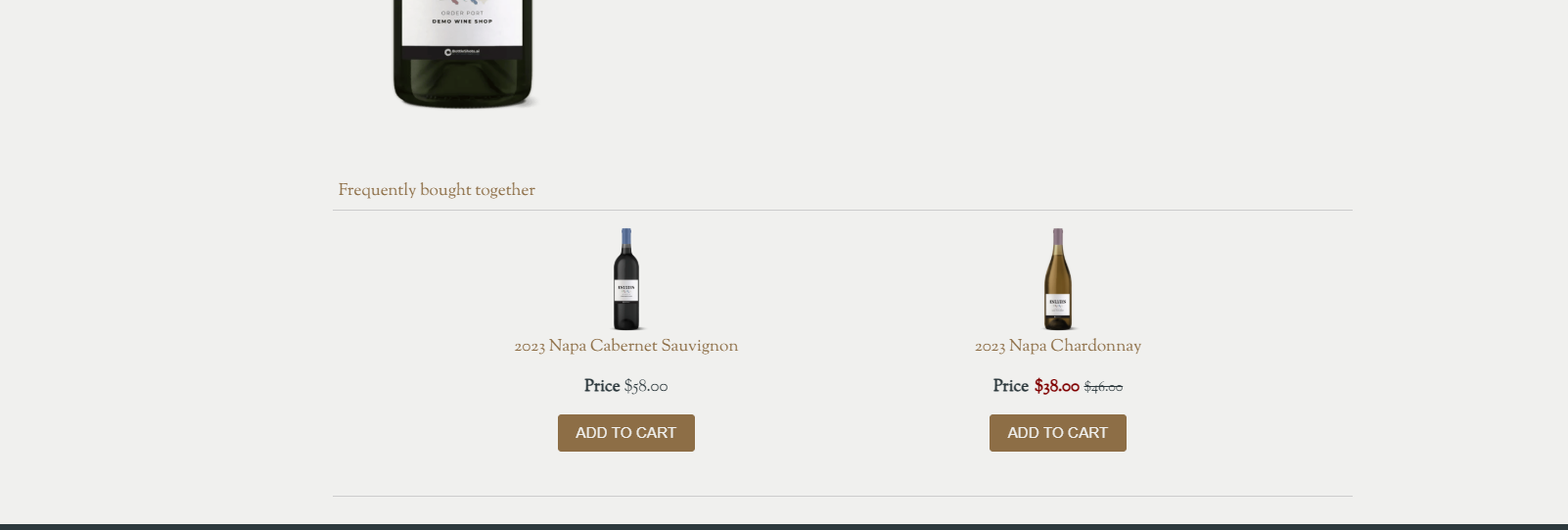 The product carousel is a customizable feature with system-driven product recommendations based on commonly purchased items. This feature can help increase the average order value online, while mimicking upselling behavior used in the tasting room.
Why It’s Underused
This feature has to be enabled and configured by the OrderPort webstore team.
Enablement
If you are interested in getting this added to your webstore, please contact helpdesk@orderport.net.
Buy More
OrderPort offers a variety of discounts that wineries can use to promote different events. One option is discount rules. Within each discount rule, there is a section called "Buy More." The text entered in this section will be triggered when someone adds a bottle eligible for the discount rule but does not meet the other requirements.
For example, if I add one 2025 Cabernet to my cart and need three to receive a 15% discount, I will be notified that if I buy three, I will get the discount.
Why It’s Underused
This feature is harder to find.
Enablement
This feature is enabled by default; simply add text to the "Buy More" section of your discount rules.
Webstore Flexability
Many customers assume that once their webstores are built, they are locked into the page layout. However, there are many parts of the webstore that the winery can easily change.
Product Display
We offer six product display styles that can be adjusted in the catalog manager for each individual webstore group. This allows you to modify the layout of your items according to the size of your catalog.
- One Item Across
- Two Items Across
- Three Items Across
- Four Items Across
- Five Items Across
- Responsive
Why It’s Underused
Customers assume that they cannot change this or that it would require additional development.
Enablement
This feature is enabled by default; simply navigate to the catalog manager and select the groups button in the left-hand corner. After selecting the desired group, edit the style drop-down and save changes.
Simplifying the Shopping experience
One of the main reasons people don't end up purchasing a product is the difficulty of finding the item on your webstore. Customers prefer simple, easy-to-use sites. The tools listed below will help you enhance and simplify the user experience.
Groups
Think of Groups as “aisles” and Subgroups as “shelves.” Online shoppers behave differently than guests in a tasting room; they tend to skim, click, skim again, and then make a decision. Groups play a crucial role in shaping that experience. Using subgroups for more specific product organization helps guide customers toward the types of wine they enjoy.
Here are some strong examples of webstore groupings:
- Current Releases
- Event Tickets
- Merchandise
- Gift Sets
- By Varietal (Cabernet, Chardonnay, Pinot Noir, etc.)
Summaries
Each product includes the option to add both a Summary Overview and a Overview. These sections help provide customers with important information about the product while also improving the overall shopping experience.
The Summary Overview is designed to quickly capture customer attention with a short, engaging description of the product. This area works especially well when using the One Item Across or Two Items Across group display styles, as it gives customers a quick snapshot while browsing multiple products.
When a customer clicks on a product, they are taken to the product description page, where the Overview is displayed. This section allows you to provide more in-depth information about the item and answer common customer questions before purchase.
Depending on the type of product, buyers may want to see information such as:
- Product features and benefits
- Size, dimensions, or weight
- Materials or ingredients
- Tasting notes or flavor profiles
- Usage recommendations
- Vintage or production details
- Shipping or storage information
- Availability or limited-release details
Providing clear and detailed product information can help customers make informed purchasing decisions and may reduce the number of support questions related to the product.
Setting Expectations at Checkout
In the shipping module, there is a feature called "Important Notices." Here, you can enter any information you want customers to know before they complete their order. Consider including details such as:
- Weather-related delays
- Holiday shipping cutoffs
- Compliance timelines
- Clarification on pickup versus shipping options
Why It’s Underused
Customers don't know where to add this or that the feature exists.
Enablement
This feature is enabled by default; simply navigate to the shipping module and enter your text into the Important notices box.
Reducing Checkout Friction
If you are using OrderPort Payments Powered by Stripe, you have access to two super cool checkout features to make your customer experience as simple as possible.
Buy Now, Pay Later
The Buy Now, Pay Later feature allows customers to pay for their order in installments, while the winery will receive their full payment up front. This feature is powered by Affirm.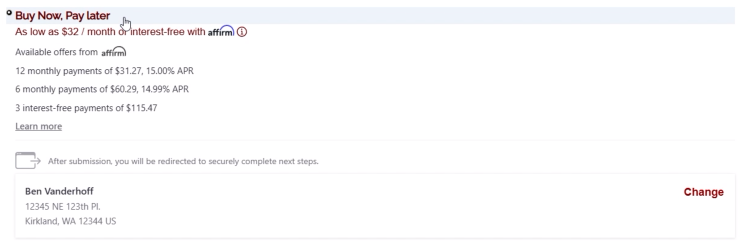
Why It’s Underused
Customers assume they don't get paid up front.
Enablement
This feature will need to be enabled by the OrderPort team. Please contact helpdesk@orderport.net if you would like this feature.
Link
Link by Stripe is an express checkout service. If you use OrderPort Payments, powered by Stripe, as your payment processor, your customers will be able to utilize Link on your web store for a faster checkout experience. Link is a trusted platform that allows your customers to save their payment information. When they enter their email or phone number during a checkout supported by Link, they can verify their identity and complete their purchase using their phone.
Why It’s Underused
Customers may not realize this is available to them or that it is already in use.
Enablement
This feature is automatically enabled for any winery using OrderPort payments powered by Stripe.
Club Exclusivity and Member Perks
Shoppers love exclusivity. OrderPort offers three main ways that you can set up your webstore to restrict items to specific customer classes.
Club Only Products
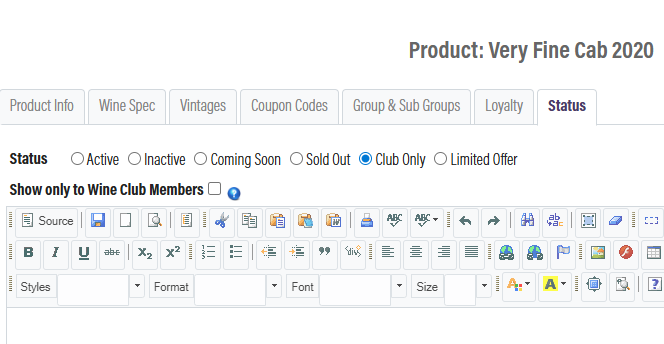
For each product, there is a status page. If you want to make a product exclusive to wine club members, you can change its status to "Club Only." Once you do this, you have two options:
- Display the item for everyone with a message encouraging them to join the club in order to purchase the bottle.
- Completely hide the item from all consumers.
If you decide to make the item club-only, please also disable the "Consumer" customer class discount on the product's page.
Class Specific Groups
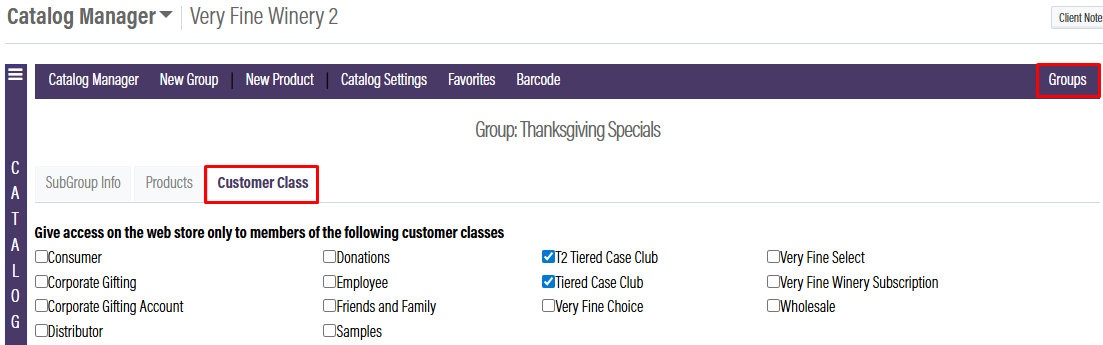
In each webstore group, there is a tab labeled "Customer Class." This tab enables you to restrict access to this group and its items based on specific customer classes. When selecting customer classes, you have two options: you can either hide this group from all customers who are not part of it, or you can prevent customers outside this group from purchasing these items. This feature allows you to determine the level of exclusivity for these items.

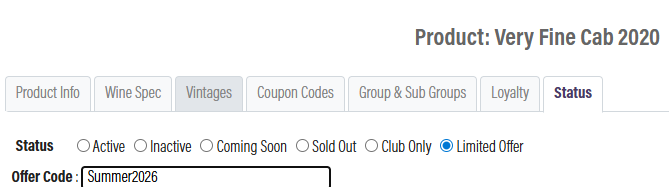
Limited Access Products
Each product has a status page, and one of the statuses is called "Limited Offer." This status allows you to set up a required purchase code. The code you enter here must be provided by the customer at checkout in order to purchase the item.