OrderPort provides sales tax rates for all 50 states through a third-party service provider. With the sales tax and licensing module, you can select the states from which you want to collect tax and enter your alcohol licensing information. However, OrderPort does not offer alcohol licensing for any state. If you are using a third-party sales tax or licensing integration, please refer to the guide specific to that feature.
TABLE OF CONTENTS
- State Sales Tax
- Sales Tax settings
- State Licenses
- Sales Tax Rules
- Tax Rates by Location
- Liquor Stores
- FAQ's
State Sales Tax
The State Sales Tax tab allows you to specify which states OrderPort will use to calculate sales tax. For each state to which you ship, check the box to start collecting sales tax. Each state provides its own guidelines regarding the taxes that must be collected.
OrderPort maintains a tax tool that receives up-to-date information from each state. If a sales tax rate changes, the tool will automatically update to reflect the new rates.
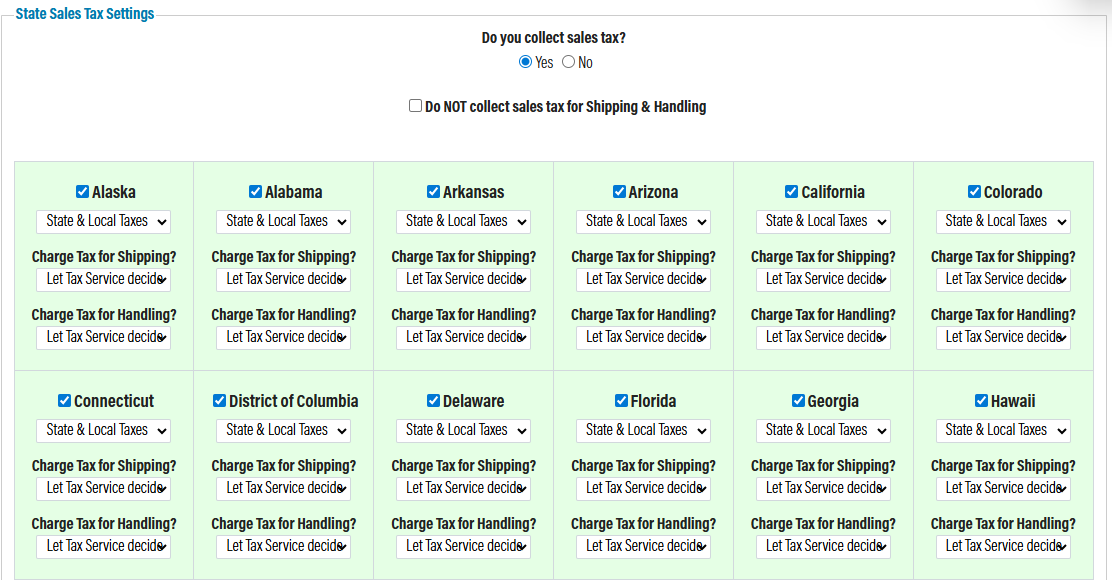
In the "State Sales Tax" section, you can choose the following options:
- Collect only state tax or both state and local taxes.
- Charge tax on shipping.
- Charge tax on handling.
For shipping and handling tax, the default option is "let tax service decide." This default setting calculates the sales tax rate for shipping based on the state sales tax tables. Alternatively, you can choose to always collect sales tax or never collect sales tax.
Whether it is beneficial to collect sales tax or not can vary. Some states do not charge sales tax, and some wineries have determined that they need to charge sales tax on shipping because the shipping cost charged by the winery may exceed the tax charged for shipping by the carrier to the winery. If you have any questions, please consult your sales tax professional.
Sales Tax settings
California Bottle Fee
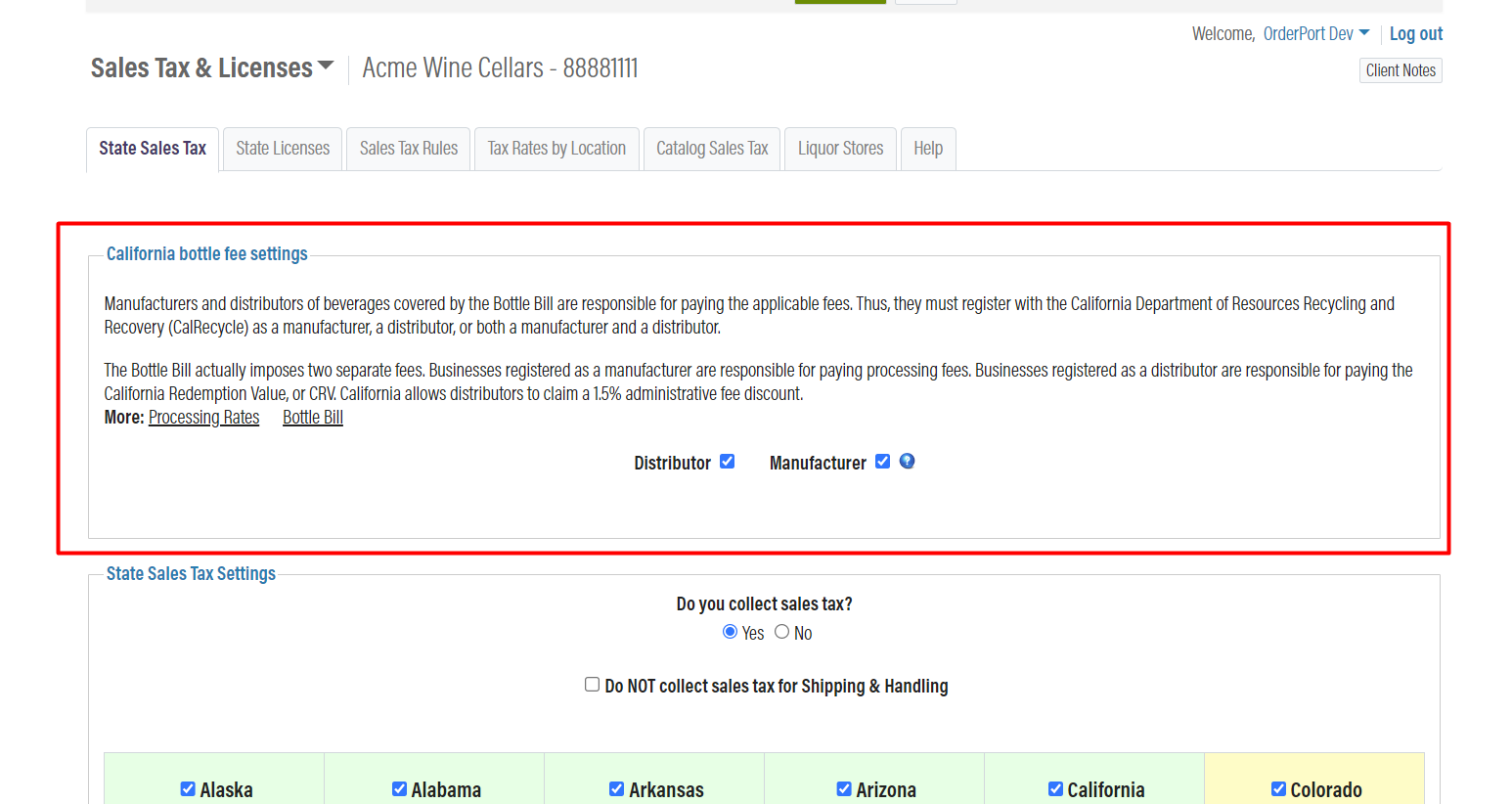
The California Bottle Bill Fee, also known as California Redemption Value (CRV) is a fee that consumers pay when purchasing beverages in Aluminum, Glass, Plastic, or Bi-metal. The fee is as follows.
- .5 cents for a container with a capacity of less than 24 fluid ounces
- .10 cents for a container with a capacity of 24 fluid ounces or more (e.g., 750 ml wine bottles)
On this page wineries must set the Distributor and Manufacturer flags according to their licenses.
- If the Distributor is checked, then we calculate the CRV fee for every order shipped to CA. By default, all wineries have this flag checked.
- If the Manufacturer is checked, then we calculate the processing fee for every order shipped to CA. By default, all wineries have this flag unchecked. This means that the winery needs to check this box if they are a manufacturer.
Please see the California Bottle fee Guide for more information about setting this feature up.
Maine bottle fee
If you are shipping to the state of Maine, you must visit the Maine.gov website and register as an Initiator of Deposit. Beginning July 1, 2025, Maine will require a $0.15 bottle deposit on wine and spirit containers over 50 mL that are shipped into the state. Once you have completed this registration, you can enable the 'Collect Tax' button in the sales tax and licensing module.

State Licenses
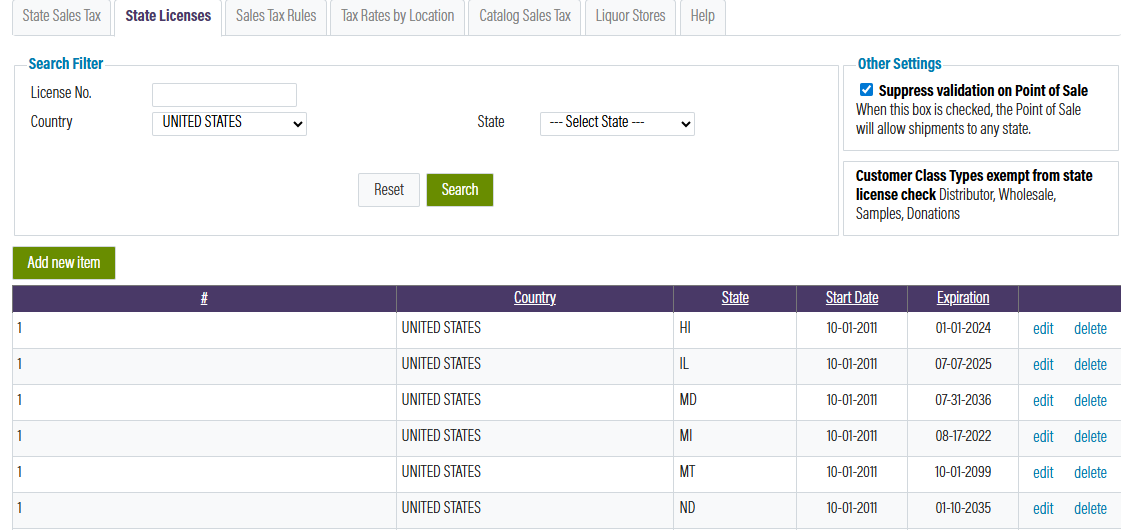
In this section, you will enter the licenses for each state you currently ship to. Click "Add New Item" to add a license. Please note that if you do not have a license listed for a specific state, OrderPort will not allow you to create a shipping order for that state.
If a third party holds a license and ships on your behalf, please enter a placeholder license for each state where you have customers.
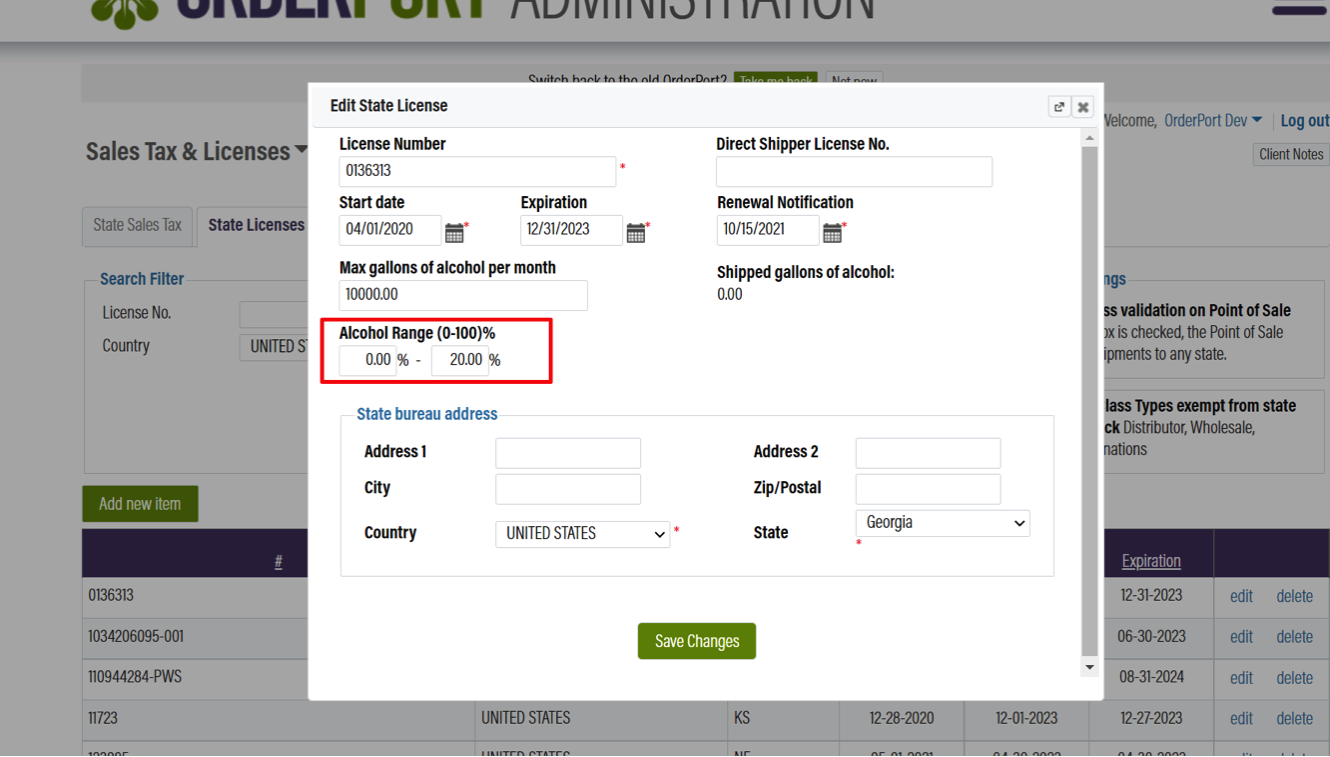
 When establishing a new state license, there is a section labeled Alcohol range. This section is designed to assist in limiting the shipment of spirits that often have elevated alcohol content. Both fields are optional. If filled out, they serve to assess whether an order can be shipped to that state or not.
The user may enter either a minimum, a maximum, or both values. In instances where both fields are left blank, any alcohol level can be shipped. This implies that if one bottle does not satisfy the alcohol criteria, the entire order cannot be shipped.
Sales Tax Rules
This section enables you to establish a sales tax regulation. By default, OrderPort will impose a shipping customer tax depending on the destination. A sales tax regulation is applied if you prefer to charge sales tax to a customer based on the location of your winery instead.
If you need to create a regulation, click Add new regulation. In the illustration to the right, customers whose orders are delivered from Idaho to Illinois will incur the Idaho tax rate.
Tax Rates by Location
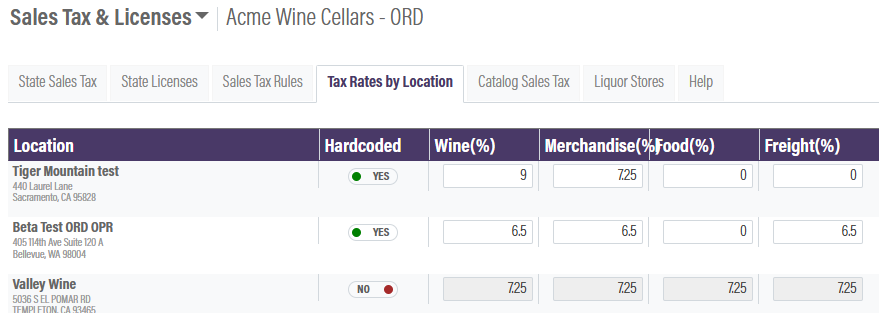
OrderPort’s sales tax tool automatically updates tax rates as they change in each state. It accurately allocates the collected amounts among state, county, and municipal jurisdictions. However, if your business prefers to set fixed tax rates, you can do so using this tab. Simply toggle the Hardcoded option to "Yes," and then enter the tax rates you wish to collect for each category. Remember to click "Save Changes" when you're finished.
Please note that if your sales tax rates are hardcoded, your sales tax reports will only provide a total amount collected at the state level, without breaking down the amounts for each jurisdiction. You will need to calculate the distribution among state, county, and local jurisdictions yourself.
Liquor Stores
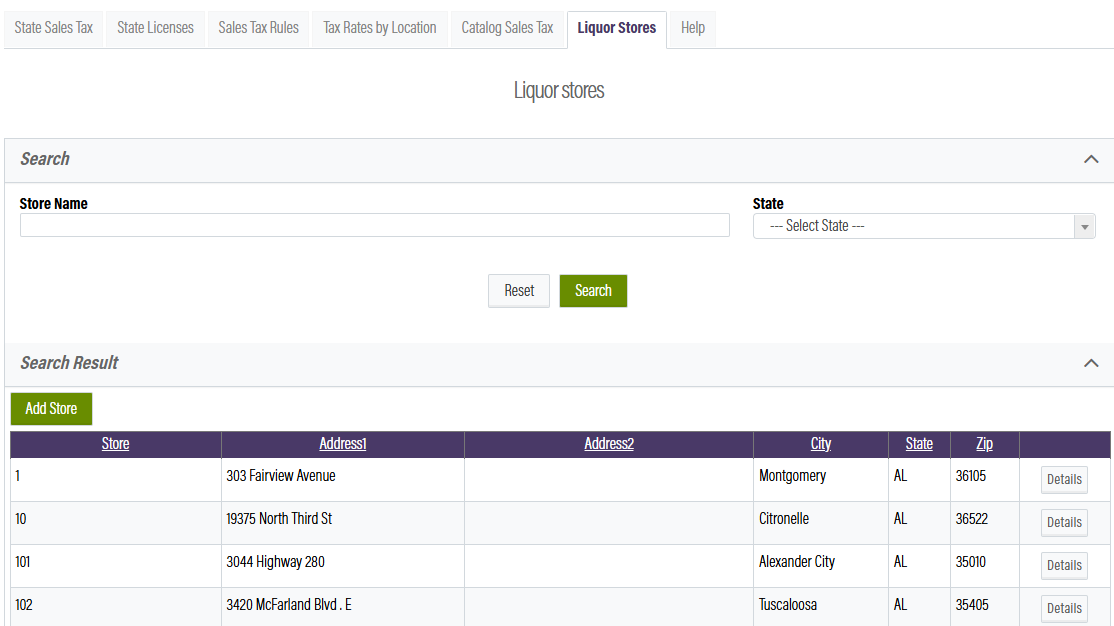
This section is for shipping to licensed ABC liquor stores in the state of Alabama. Any wine shipments to customers in Alabama must be delivered to a licensed store, where the customer can then pick it up.
During checkout, customers will select one of the listed stores instead of entering their own shipping address. OrderPort has uploaded all current ABC stores into the system. If new stores become available, you can click "Add Store" and enter the required information. If you are currently shipping to Alabama and do not have this tool enabled, please contact OrderPort Support.
FAQ's
Why is my sales tax not reflecting the correct percentage?
Find the sales tax page for your state and confirm your sales tax rate. If OrderPort does not display this same rate, check your address in OrderPort (navigate to the Inventory module in Admin). If it still doesn't match, move on to the next step.
It appears that all the settings in the OrderPort Sales Tax & Licenses module -> State Sales Tax have been set to "State Tax Only". This is why your sales tax is showing as lower. Please ensure you consult wineinstitute.org for the Direct Ship regulations for each state before modifying the default settings in OrderPort.
If it is none of the above, please contact helpdesk@orderport.net.