When you connect your webstore to the Google Merchant Center, your products can now be discovered straight from Google's shopping reccomendations and tabs. This may greatly improve your business' exposure to the average consumer. You must have a Google Merchant Center account before proceeding.
To add products to the Google Merchant Center from your webstore, you must add a product source from a file, using a link. Please reference this guide from Google: https://support.google.com/merchants/answer/14990942?hl=en.
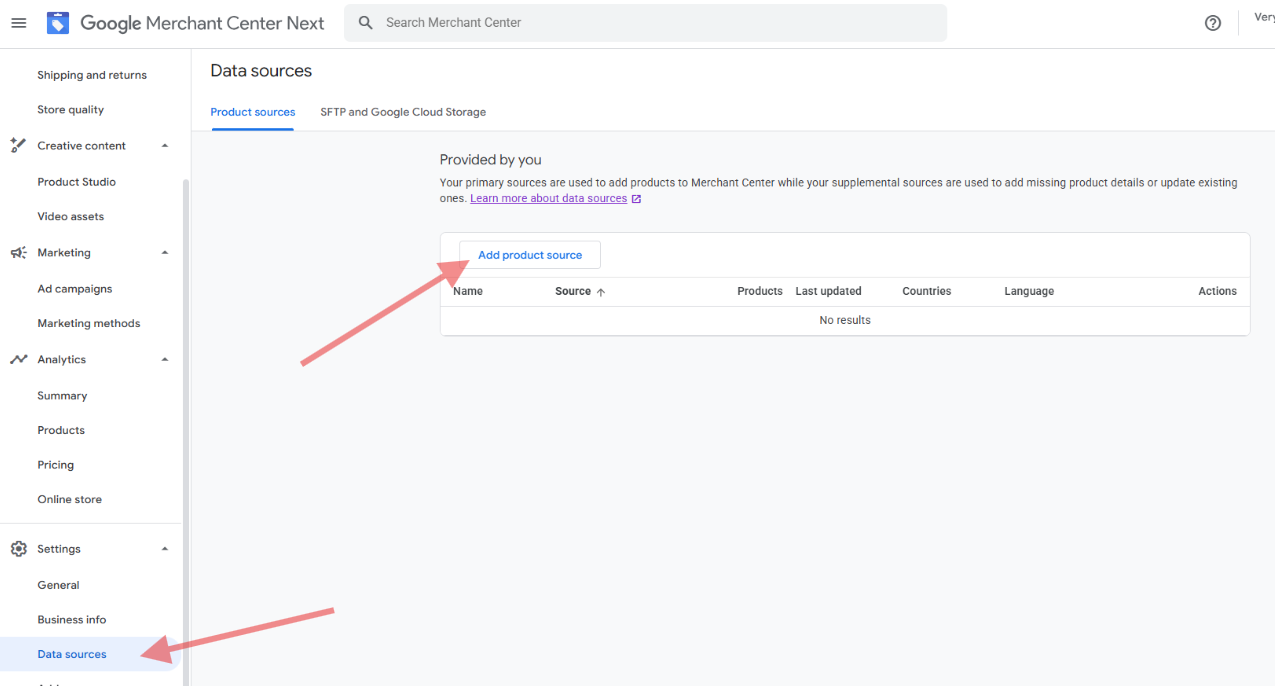
To get the link, add /get-google-merchant-center-file to your webstore link. Here are some examples:
- https://veryfinewinery.orderport.net/ -> https://veryfinewinery.orderport.net/get-google-merchant-center-file
- https://examplewinery.orderport.net/ -> https://examplewinery.orderport.net/get-google-merchant-center-file
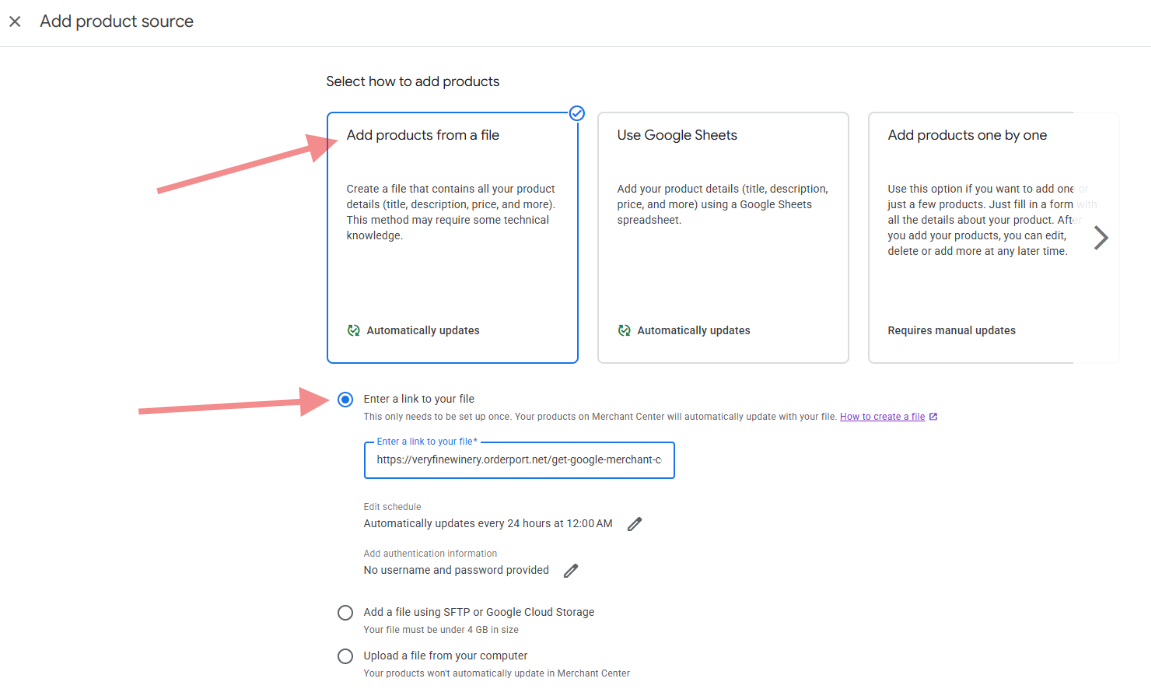
Once you add the link as a data source, it may take a few minutes before the products appear in the Products section of the Google Merchant Center. Additionally, it may take a few days for Google to verify the products and display them to customers.
Changes made to product listings are automatically refreshed every 24 hours.